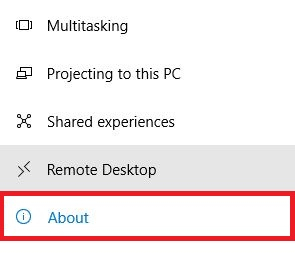
This guide will show you how to check which version of Windows 10 is active and installed on your computer. This is a easy way to check what version, edition (such as Pro, Home, S) and OS build number of Windows you have on your computer.To check your version of Windows 10, follow these simple steps:1. Right click on the Start button, typically found at the lower left corner of the screen, then click on Settings. 2. From the Windows Settings pop-up window, click on System. 3. Click on About on the left-hand side of the System Settings window. 4. Your Windows information will be displayed under Windows Specifications.